
74 lines
2.4 KiB
Markdown
74 lines
2.4 KiB
Markdown
|
||
|
||
图示解析
|
||
|
||
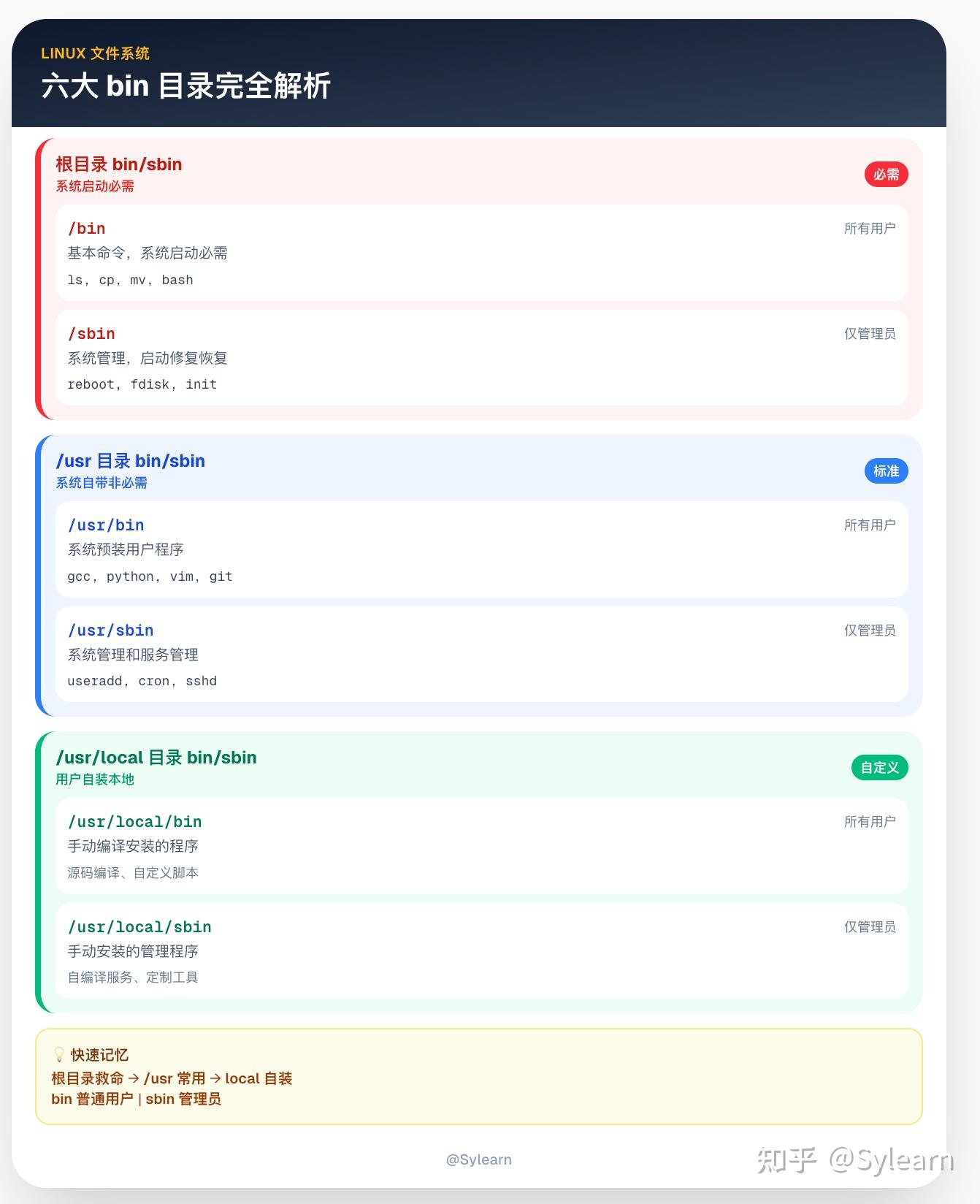
本质上其实是三处地盘和两种用户之间的排列组合的结果:
|
||
|
||
三处“地盘”([根目录](https://zhida.zhihu.com/search?content_id=754281048&content_type=Answer&match_order=1&q=%E6%A0%B9%E7%9B%AE%E5%BD%95&zhida_source=entity)、/usr、/usr/local) × 两种“人群”(bin 给所有用户,sbin 给管理员)。
|
||
|
||
## **系统启动必需的目录**
|
||
|
||
### **/bin**
|
||
|
||
- 含基础命令,开机到最小救援都离不开它。
|
||
|
||
- 示例:ls、cp、mv、bash 等。
|
||
|
||
|
||
### **/sbin**
|
||
|
||
- 系统管理、修复、分区等关键工具,多在救援/启动早期使用。
|
||
|
||
- 示例:reboot、fdisk、init 等。
|
||
|
||
|
||
> 这些目录下断网断挂载也要能用。
|
||
|
||
|
||
|
||
## **[发行版](https://zhida.zhihu.com/search?content_id=754281048&content_type=Answer&match_order=1&q=%E5%8F%91%E8%A1%8C%E7%89%88&zhida_source=entity)的标准配给**
|
||
|
||
### **/usr/bin**(标准应用区)
|
||
|
||
- 发行版仓库装来的大多数[用户程序](https://zhida.zhihu.com/search?content_id=754281048&content_type=Answer&match_order=1&q=%E7%94%A8%E6%88%B7%E7%A8%8B%E5%BA%8F&zhida_source=entity)。
|
||
|
||
- 示例:gcc、python、vim、git。
|
||
|
||
|
||
### **/usr/sbin**(标准运维区)
|
||
|
||
- 官方提供的[服务端](https://zhida.zhihu.com/search?content_id=754281048&content_type=Answer&match_order=1&q=%E6%9C%8D%E5%8A%A1%E7%AB%AF&zhida_source=entity)/管理类程序与工具。
|
||
|
||
- 示例:useradd、cron、sshd。
|
||
|
||
|
||
> 这两个相当于系统的“总仓库”,绝大多数工具从这里发货。
|
||
|
||
|
||
|
||
## **本机自装地盘**
|
||
|
||
### **/usr/local/bin**(自带装备)
|
||
|
||
- 你自己手动编译/安装、给所有用户用的程序与脚本。
|
||
|
||
- 很典型的,例如:源码 make install 的可执行文件、自定义脚本。
|
||
|
||
|
||
### **/usr/local/sbin**(自建运维角)
|
||
|
||
- 你自装的管理员工具、服务启动脚本、定制小工具。
|
||
|
||
|
||
|
||
> 这俩类似“私人工具柜”,不影响系统仓库,备份/迁移也更省心。
|
||
|
||
---
|
||
|
||
或者也可以这么看和区分:
|
||
|
||
- **谁能用**:bin对应普通用户,sbin对应管理员(当然他也可以用bin)。
|
||
|
||
- **谁提供**:系统/发行版(/usr) ,本机管理员(/usr/local)。
|
||
|
||
- **是否启动必需**:必须(/bin、/sbin) ,非必需(/usr/*)。 |